Part Thumbnails
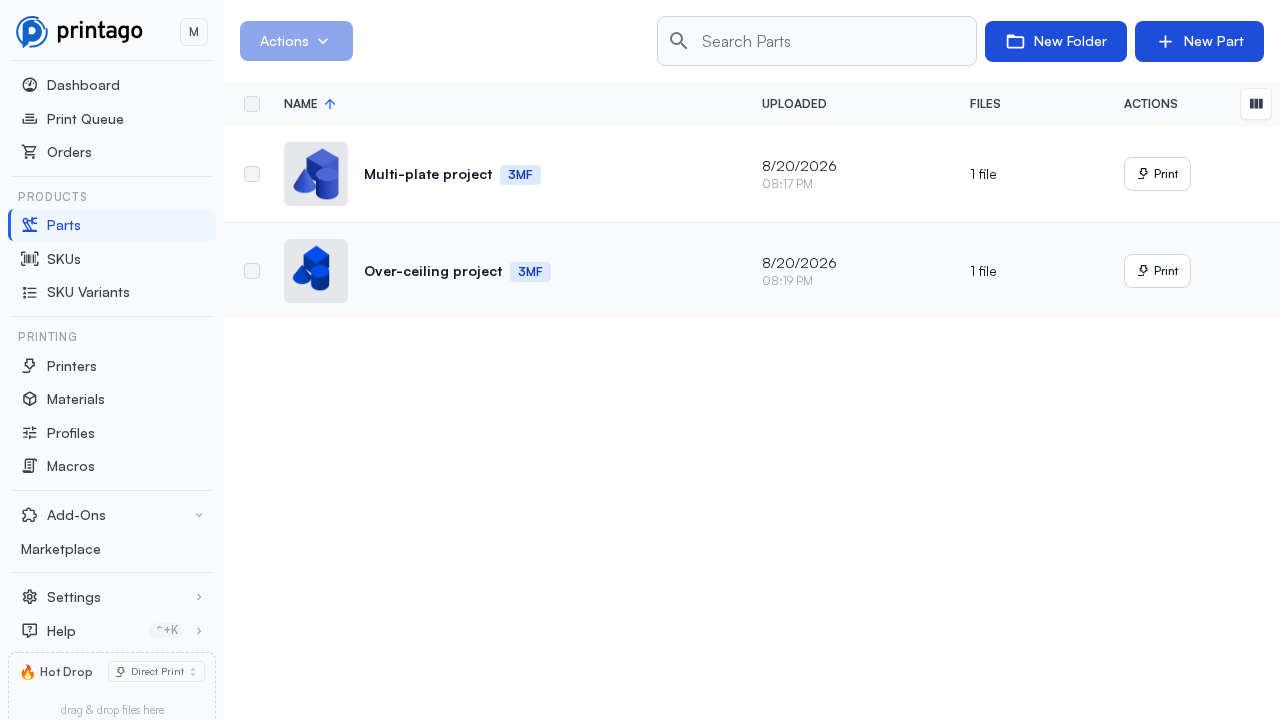
Every part gets a picture: one thumbnail for the part itself, plus a separate thumbnail per build plate for a multi-plate 3MF project. Printago draws these from the model's own geometry, in your workspace's thumbnail style, using the filament colors assigned to the part. They appear on the parts list, the part page, the print queue, and anywhere a print job or build is shown.
When thumbnails are drawn
Thumbnails are generated in the background as soon as a part finishes uploading, so a new part appears in the list with a placeholder for a few seconds and then fills in. They are drawn again when:
- you replace a part's file
- you change the filament colors or materials assigned to a part or a job
- you change the workspace thumbnail style (only for parts rendered after the change; there is no bulk re-render)
Nothing you do blocks on a thumbnail. A part is usable, printable, and sliceable while its picture is still rendering.
Plate thumbnails
A 3MF project that carries several build plates gets one thumbnail per plate, shown in the Plates strip on the part page. Each is rendered from just that plate's objects, so a plate shows exactly what would print if you queued it, not everything in the file.
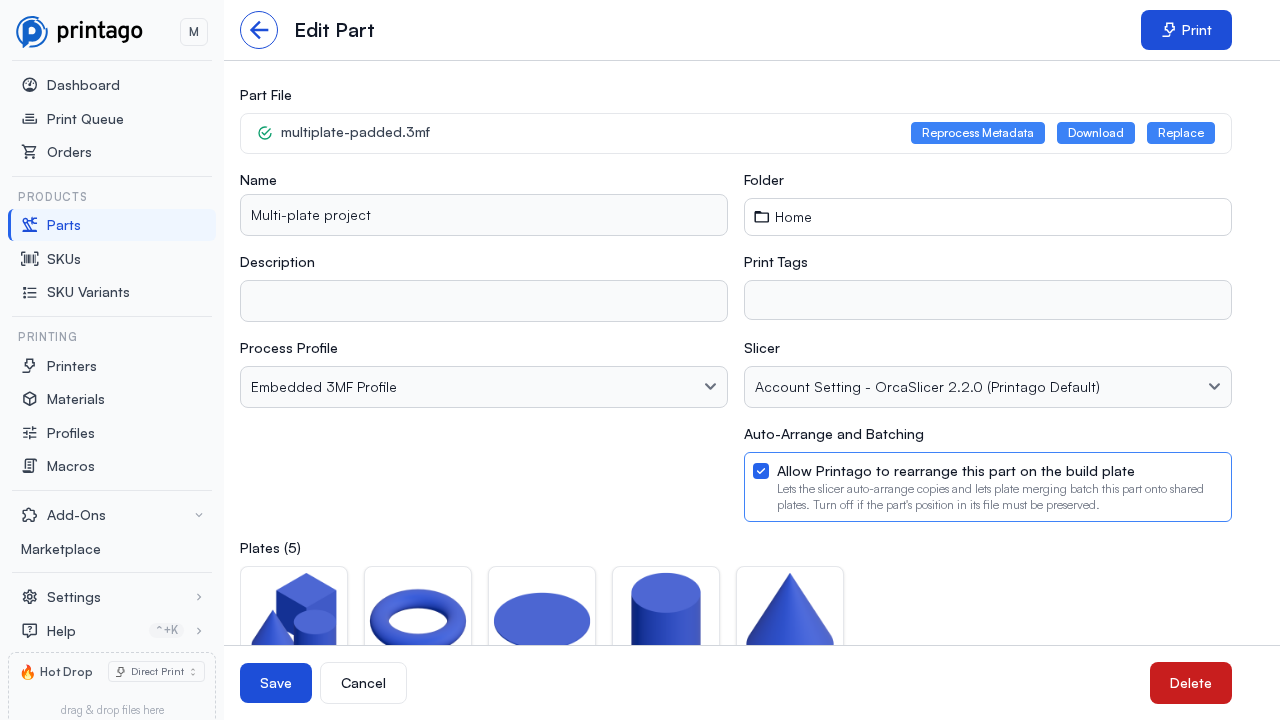
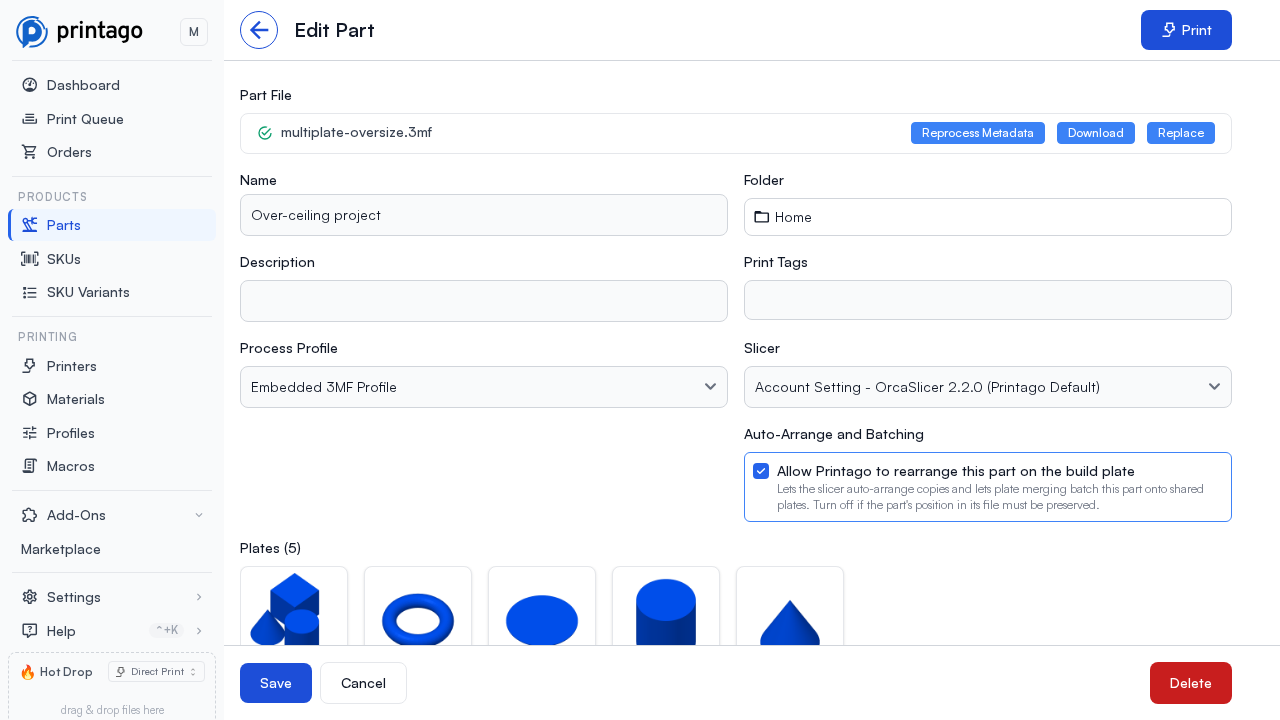
Each plate is drawn on its own, so the size limits below apply to one plate at a time. A project with ten heavy plates is fine as long as no single plate is oversized.
Very large files
Rendering has limits, and a part that exceeds them still gets a thumbnail: Printago falls back to the picture the slicer saved inside the file (for a 3MF, the plate preview Bambu Studio or Orca wrote), or to a simpler render for other formats. The fallback picture is flatter and less detailed, but the part is otherwise completely normal: it slices, prints, and behaves the same.
A file falls back when:
- one plate has more than 3 million triangles. Color painting counts toward this, because a painted facet is subdivided into many small ones.
- one plate's model data exceeds 224 MiB uncompressed, roughly 3 million triangles' worth of geometry. This is measured on the uncompressed contents, so a small
.3mfon disk can still be over it. - the uploaded file is larger than 256 MiB (192 MiB total when a part is multiple separate STL files, since those are combined into one package before rendering).
- the file uses a feature the renderer will not guess at, such as a negative part (a mesh boolean) whose volumes cannot be matched up, or a 3MF with no printable geometry at all.
- the 3MF is damaged, most often one that stores two different copies of the same model file inside it, which leaves no single answer for what to draw. Re-exporting from your slicer fixes this.
There is no setting for these limits and no way to raise them for a workspace. If a part matters enough to want a real render, the practical fix is to decimate the mesh in your CAD or slicer before exporting: a thumbnail is a few hundred pixels wide, so a model simplified to a fraction of its triangles looks identical in the tile.
Colors
Thumbnails use the colors that will actually print. A part's thumbnail uses the filament colors assigned to its material slots, and a print job's thumbnail uses the colors of the material loaded for that job, so reassigning a job to a different spool redraws it. A 3MF with embedded filament colors and no assignment yet is drawn in those embedded colors. Anything with no color information at all is drawn in Printago blue.
Painted (multi-material) models are drawn with their paint, per facet, in the filament colors of the slots each region is painted to.
Troubleshooting
The thumbnail is still a placeholder. Rendering is asynchronous and queued. Give it a minute, then reload. If it never arrives, replacing the part file re-triggers the whole processing pass.
The thumbnail looks flat compared to my other parts. The part is over one of the limits above and is showing the fallback picture.
The plate thumbnails do not match my plates. Plate membership comes from the project's own plate metadata. A 3MF exported from something other than Bambu Studio or Orca Slicer may not carry it; Printago then treats the file as a single plate.
A shiny or textured finish is missing. Finishes come from material tags. A material with no finish tag renders as plain filament.