Gcode.3mf Files
gcode.3mf files are pre-sliced files from Bambu Studio or Orca Slicer that contain ready-to-print G-code wrapped in a 3MF container. While Printago supports gcode.3mf, we recommend using other formats for most workflows.
What Are Gcode.3mf Files?
gcode.3mf files contain:
- Pre-sliced G-code - Ready for immediate printing
- Printer-specific settings - Baked into the G-code
- No geometry data - Only contains print instructions and metadata
Key Limitations
- Printer-specific - Only works with the exact printer model they were sliced for
- No re-slicing - Cannot use Printago's slice-on-demand features
- Matching nozzle sizes only on dual-nozzle printers - On dual-nozzle printers like the Bambu Lab H2D, Printago currently matches only when both nozzles are the same size (for example 0.4 mm and 0.4 mm). Setups with different left and right nozzle sizes (for example 0.4 mm and 0.8 mm) are not yet supported and the job will not match a printer.
tip
Printago supports gcode.3mf files, but we recommend using other formats to take full advantage of our automatic slicing capabilities.
When to Use gcode.3mf Files
Consider gcode.3mf only in these specific cases:
- Legacy projects - When original model files are unavailable
- Custom G-code - For prints requiring manual G-code modifications
- Beta slicer features - When using unreleased slicer versions
- Printer testing - For sending custom G-code commands
Adding gcode.3mf Files
- Go to
Products -> Parts - Click
+ Add Part - Upload your
.gcode.3mffile - Configure part settings:
- Name and Description: Identify your part
- Allowed Filaments: Must match G-code requirements
- Target Printer Types: Specify compatible printers
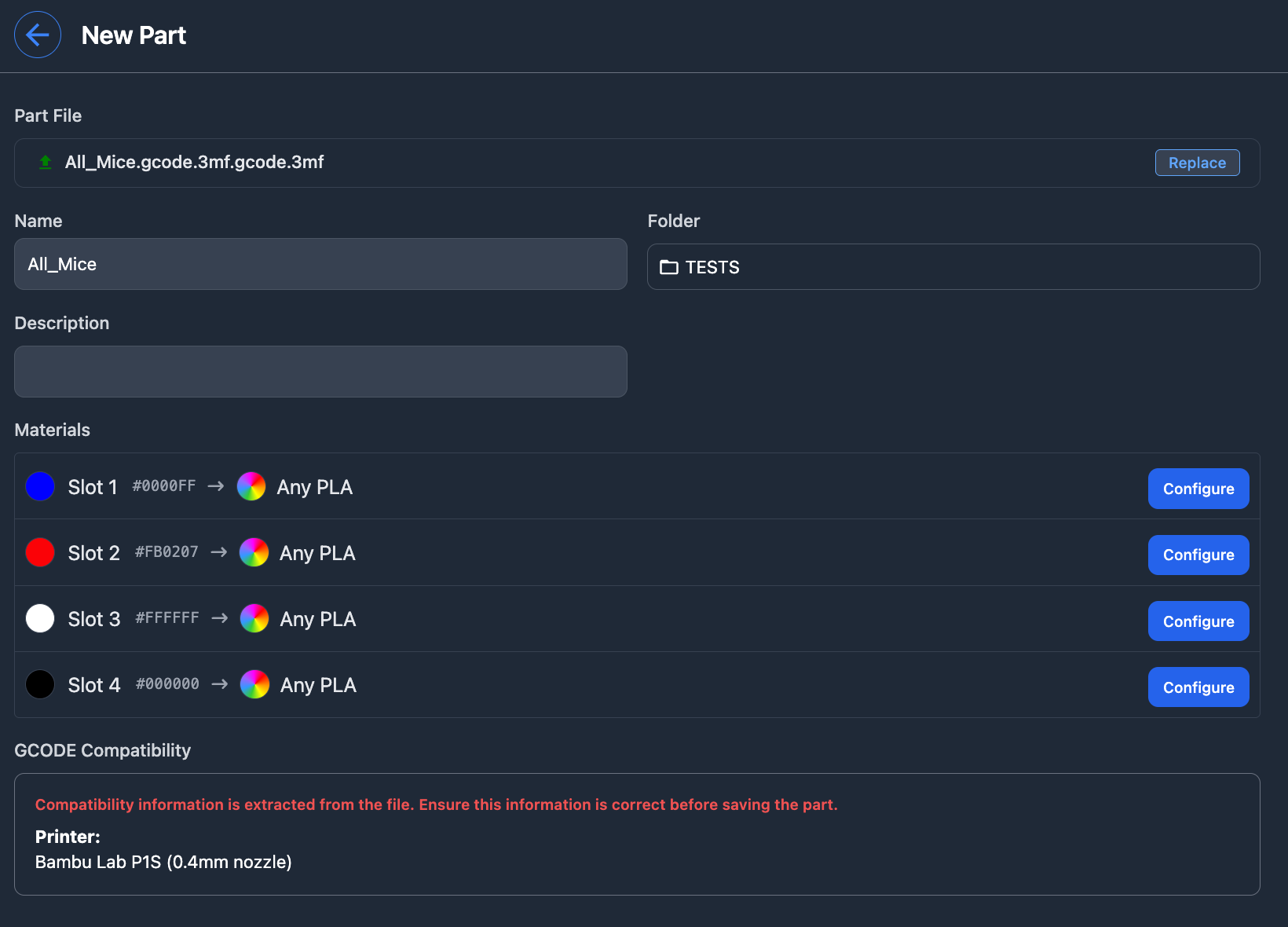
Material Remapping
gcode.3mf files support basic material remapping:
- Reassign color variants within the same material type
- Printago can auto-map similar materials
- Temperature settings remain fixed in the G-code
Migration to Better Formats
For better workflow management, consider migrating to:
- STL/STEP - For simple parts with custom profiles
- 3MF - For complex parts with modifiers and settings
- OpenSCAD - For parametric or customizable designs
This approach keeps your library clean and takes full advantage of Printago's features.
Common Issues
- Printer compatibility - Only works with specific printer models
- Material constraints - Temperature and speed settings are fixed in the G-code
- No updates - Cannot benefit from slicer improvements without re-exporting